
Using Cloudflare Firewall to Secure WordPress
If you're using Cloudflare for your website you might not realize the security protections that it can offer. Using the free package you get access to setup up…
 Karl Nyen
On this page
If you’re using Cloudflare for your website you might not realize the security protections that it can offer.
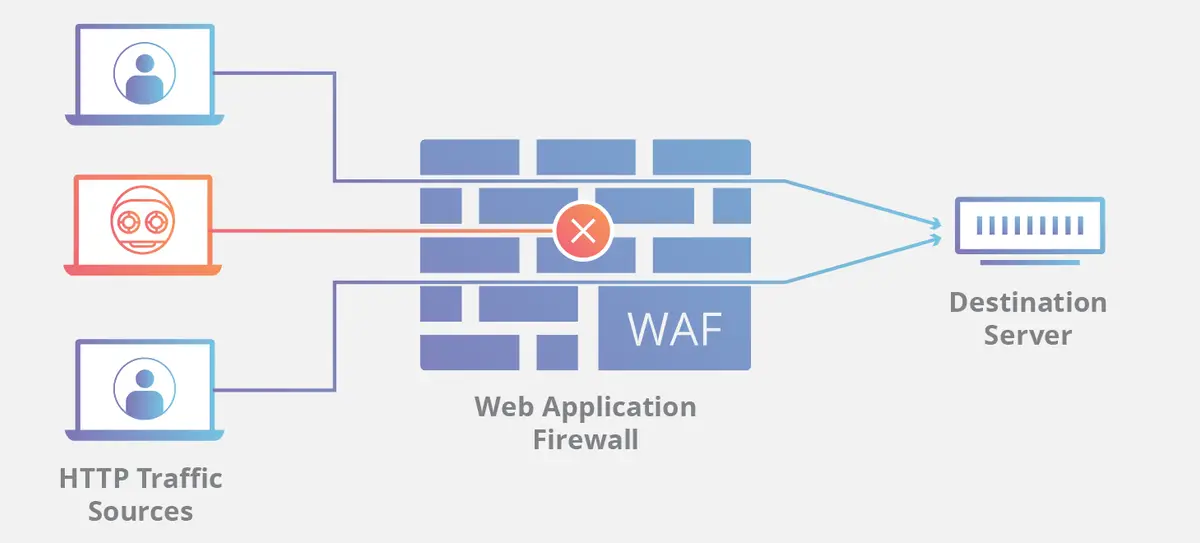
Using the free package you get access to setup up to five active firewall rules. On the Pro plan this goes up to 20 active firewall rules. The Pro plan also includes the Web Application Firewall (WAF) which will greatly improve security if you are not using any other type of WAF for your website.
What can we use these firewall rules for in a practical sense with WordPress?
- Restrict access to wp-login.php
- Restrict access to /wp-admin/
- Block WordPress XML-RPC xmlrpc.php
On the free plan the easiest win is to implement 3 rules for the above. This will greatly reduce your outside attack surface.
Creating Cloudflare firewall rules
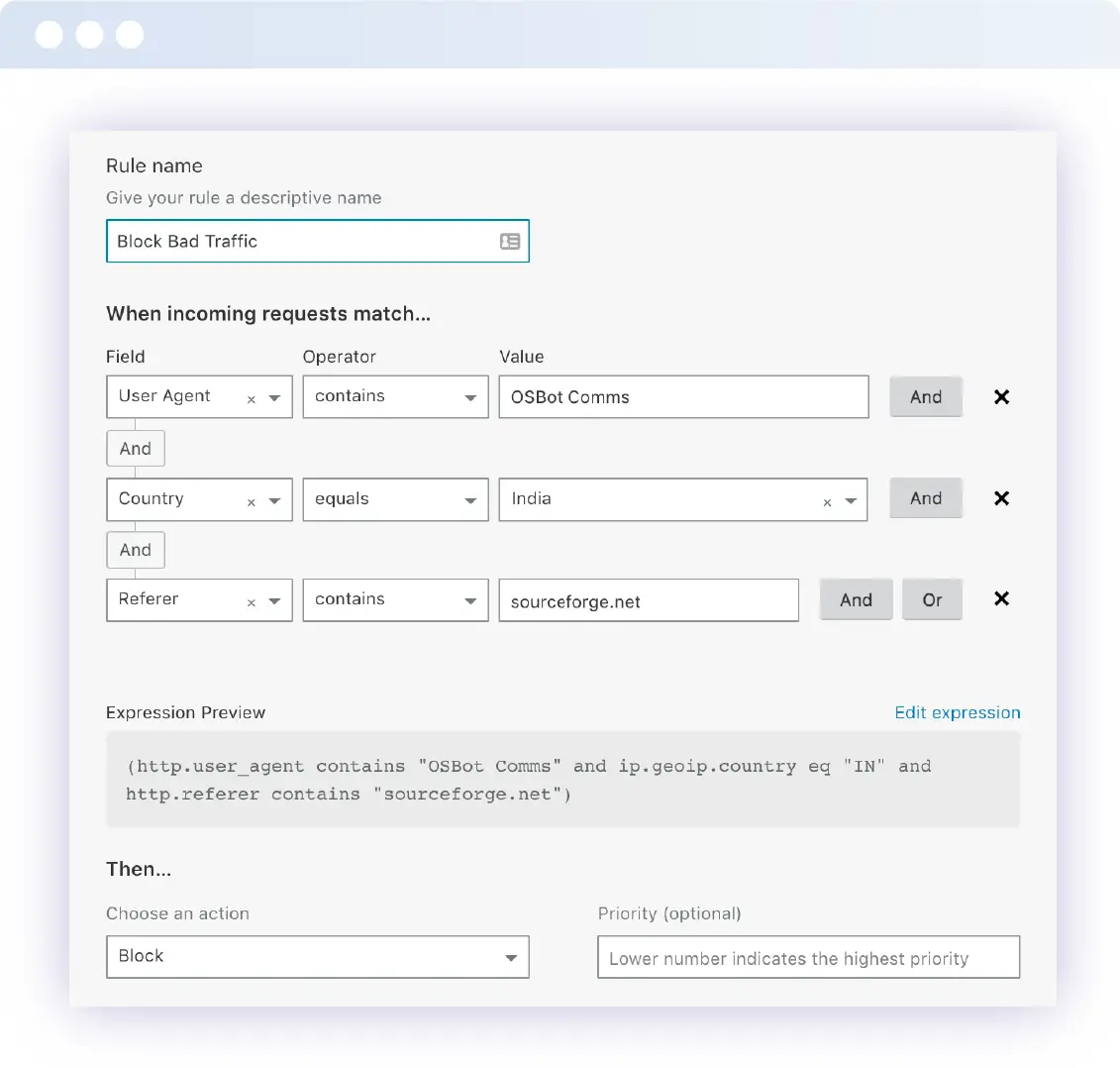
When you’re ready to setup a rule you can select the “Create a Firewall Rule” button in the Cloudflare Dashboard. There is handy documentation here about how to use the expression builder.
A rule can be based upon multiple request attributes such as user-agent, path, country, query string, IP address, and more.
Give the rule a name. Make it something easy to identify the firewall rule later on without having to inspect the rule further.
Then we create the rule. As an example lets create a rule that restricts access to wp-login.php to only countries we know should be accessing it.
We will use a http.request.uri expression rule here with the contains operator on wp-login.php then use an “AND” statement to say that if the Country does not equal “Canada” to BLOCK the requests.
Here’s what that looks like in the Dashboard:
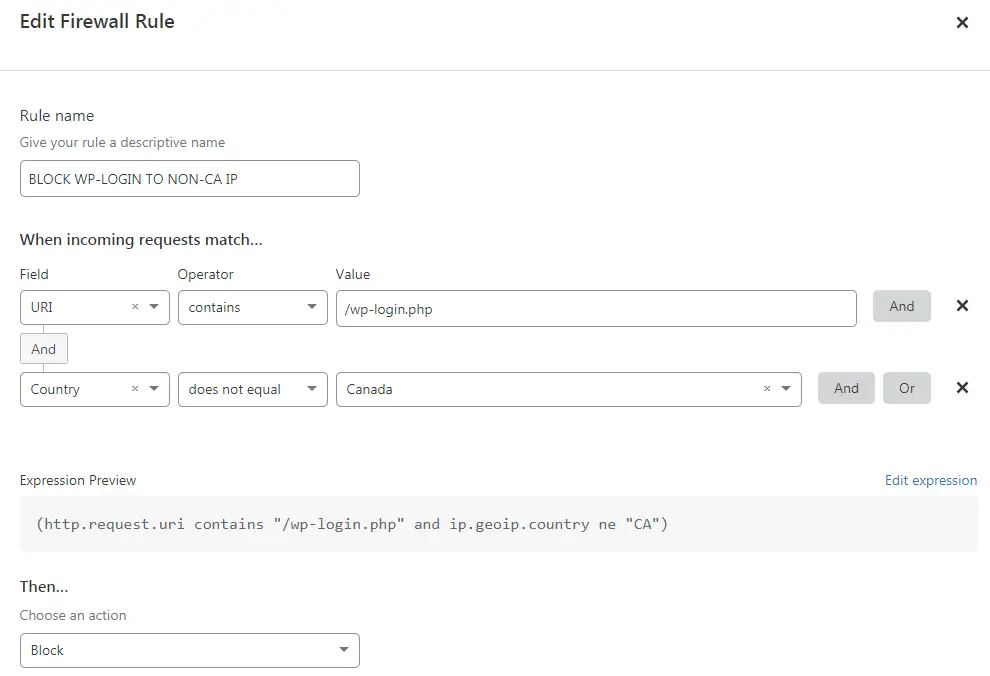
What’s the result? Any IP that does not originate from Canada will be blocked from accessing /wp-login.php. This is great for solo bloggers when I know that only I am the only person who should be accessing the WordPress website. Anyone not in Canada should have no reason to access it.
Obviously you can get creative here and use an IP whitelist, ASN, user agent, and more. There are far better ways then the Country block above to secure sensitive and administrative area’s of your website.
What happens to blocked requests?
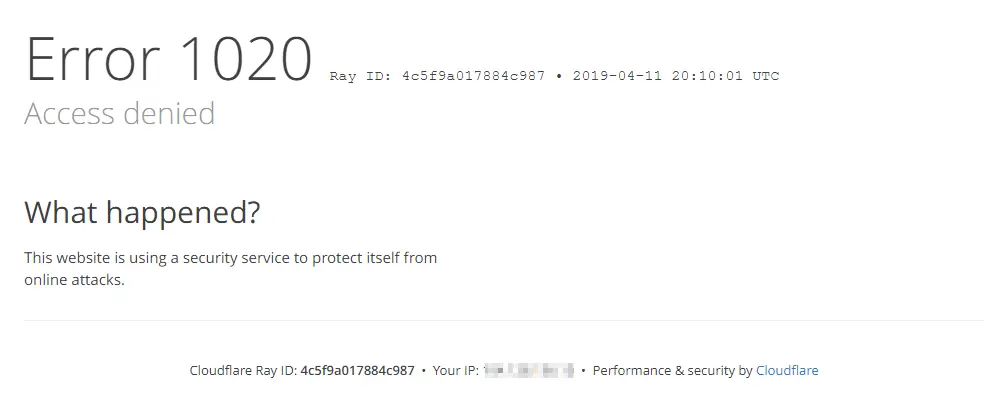
When a request is blocked you can see this logged in the Cloudflare dashboard under Events. Here you can see fairly detailed information about why the request was blocked which can be helpful to ensure your firewall rules are working.
The requesting client is also given Cloudflare Error 1020 Access Denied page as shown below:
Zone (URL) Lockdown
This is another feature that you may consider if you are on the paid Pro plan. It’s essentially just a pre-made firewall rule GUI in the Tools section of the Firewall Dashboard.
Zone Lockdown allows you to whitelist specific IP addresses and IP ranges to either specific sub-domains or specific URLs whereby all other IPs are effectively blacklisted.
This is useful when you need more granularity in your access rules since with the IP Firewall, you can only either apply the block to all sub-domains of the current domain or all domains on your account, and you can not specify URIs.
Hope you found this article helpful. If so please give it a like or share.
Writing about virtualization, home lab, cloud, storage and gaming on vSkilled, started in 2014.