Storage Refresh 2016 - Time to Build! (Part 2)
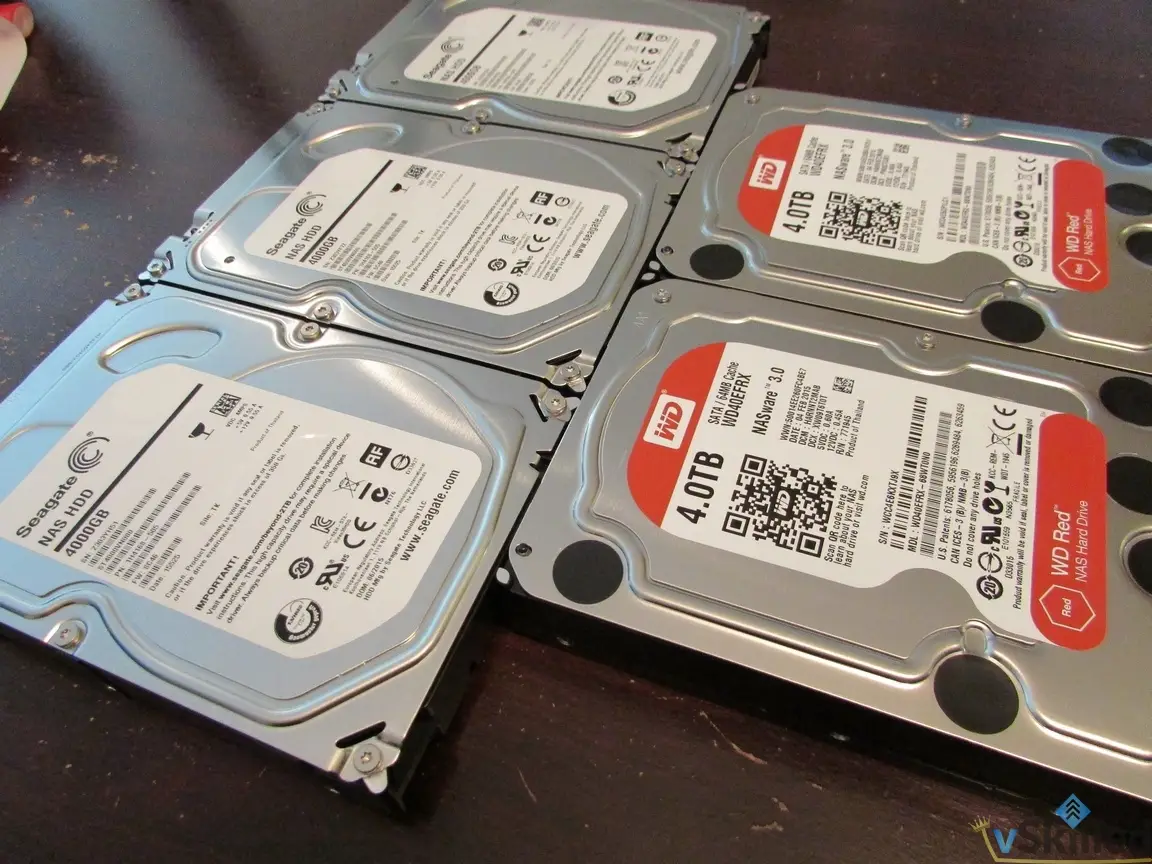
The hard drives have arrived today from NCIX and it's now time to build it out to finally increase the storage capacity in my home lab.
 Karl Nyen
Part 1: http://www.vskilled.com/2015/07/storage-refresh-2016-the-plan/
The hard drives have arrived today from NCIX and it’s now time to build it out to finally increase the storage capacity in my home lab. I’ve made only minor changes to the original plan; I ended up shying away from the Seagate 8TB archive hard drives I had originally planned on buying to use strictly for backup purposes. Much like 3TB drives, I just don’t have any confidence in them long-term.
| Device | Current Drive Layout | Current Capacity | Desired Drive Layout | Desired Capacity |
|---|---|---|---|---|
| NAS 1 (Thecus N5550) | 5 x 2TB (RAID 5) | 7.21TB | 5 x 4TB (RAID 5) | 16TB~ |
| NAS 2 (Thecus N5550) | 1x4TB, 2x2TB, 1x1TB, 1x640GB (JBOD) | 8.9TB | 5 x 2TB (RAID 5) | 7.25TB~ |
| VMH01 (Dell C1100) | 1 x 1TB | 1TB | 2 x 8TB, 2 x 2TB (JBOD) | 20TB~ |
The end result stays the same. I’m looking to end up with two large data/media storage pools with about 22TB of usable storage. A considerably large increase from my existing data capacity of 7.21TB.
The challenge now is performing a safe and successful data migration to the new storage. Normally I use NAS2 as my backup/archive NAS. I am going to remove the drives from it and move some of them into my VMH01 (Dell C1100) and create a temporary datastore to backup of all the data on there. That way I can safely create a backup of the data and still be semi-protected by RAID.
After some careful scavenging through some documentation I found that I would probably be able to swap the disks from NAS2 and move them into NAS1 without losing any configuration or data. However this is risky, so I will store a 3rd copy of my data on a JBOD on “BackupSrv”. In this case the risk is worth the reward if it pays off because I will be saving myself from having to copy the data from the BackupSrv JBOD again, and worst case scenario I still have the data on the drives so I can just swap then back if I needed to roll-back the change.
The Step-by-Step Action Plan:
- NAS2: Destroy JBOD, power-off, remove drives
- VMH01: Add 1x4TB, 1x2TB, 1x1TB. (Add to BackupSrv VM)
- BackupSrv: Create JBOD datastore for backup
- NAS2: Add 5x4TB NAS drives, build raid, re-configure NFS, rsync, ftp, etc
- NAS1: Full rsync backup to BackupSrv & NAS2, verify data
- Power-off both NAS1 and NAS2.
- Swap disks from NAS2 into NAS1, NAS1 into NAS2. Power on, cross fingers.
- Verify data and shares. It works!
- Data Migration Completed
- Cleanup: Reconfigure Rsync Backup Schedules
- Cleanup: Update Home Lab page, CMDB, Wiki
- Cleanup: Permissions on shares
* - Veeam Backup Repository moved temporarily to NAS1 (approx 600GB~)
* - NFS datastores + permissions will be lost during a RAID rebuild
* - Printer Scan-to-FTP Setup
Lets take a look at our storage now:

Excellent. Now I have a large RAID5 14.5TB share for media/data storage, another RAID5 7.26TB share for more data storage, and another 7TB of disks in JBOD for archive/backups. I have a LSI MegaRaid MR SAS 9260-8i 8 Port SAS Raid Card on the way to properly archive/backup JBOD the drives so that I can present the disks more cleanly to a backup VM.
Writing about virtualization, home lab, cloud, storage and gaming on vSkilled, started in 2014.