
WHMCS - Is the promo applied or not?
WHMCS is one of the most popular billing systems for web hosting companies. Despite this fact there are many small caveats and grudges you will find with the…

 Karl Nyen
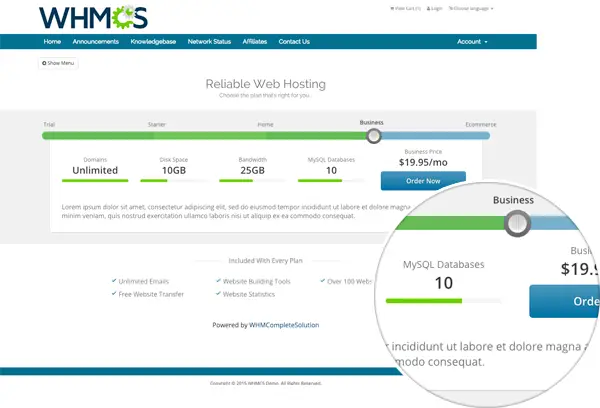
WHMCS is one of the most popular billing systems for web hosting companies. Despite this fact there are many small caveats and grudges you will find with the WHMCS platform.
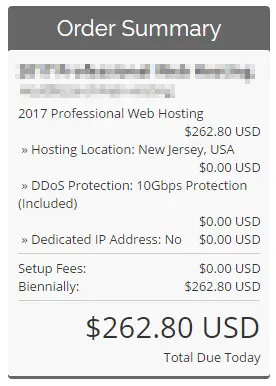
For example, when a customer is passed to an order page using a link with a promotional code or with an existing promo code applied the order summary does not show the discounted total. The discounted total is only shown on the checkout page. How stupid? This simple mistake by WHMCS’s developers can not only increase customer cart abandonment rates but also confuse the customer whether the discount is applied or not. Put simply, it grinds my gears as well.
I was able to find some rather unreliable fixes to this issue by others on forums as well as the feature request on WHMCS’s website. However seeing that it’s been in the “requested” state for well over 2 years (as of this post) you probably shouldn’t hold your breath for WHMCS to offer an official solution. WHMCS is annoyingly slow to develop, or even respond to, customer requested features (ie; automatic updates, Stripe module, etc) despite them offering a request tool. Realistically you’re at the mercy of third party developers or your own home made solutions.
Back to the point. This is a simple fix I wrote that strikes out the pricing on the order summary page until the customer is at the checkout page. It’s a simple if and else statement. I have tested this to be working on WHMCS v6.x.
/orderforms/standard_cart/ordersummary.tpl
Find:
<div class="total-due-today"><span class="amt">{$producttotals.pricing.totaltoday}</span>
{$LANG.ordertotalduetoday}</div>Replace with:
{if $carttotals.rawdiscount gt 0}
        <div class="total-due-today">
        <span class="amt"><strike>{$producttotals.pricing.totaltoday}</strike></span>
        <center><font color="red"><b>Promo Code Active</b><br>Continue to see your total!</font></center>
    {else}
        <div class="total-due-today">
        <span class="amt">{$producttotals.pricing.totaltoday}</span>
        <span>{$LANG.ordertotalduetoday}</span>
{/if}
</div>Customize text as needed. You may also need to modify the other orderforms templates if you use them for your checkout pages. Until WHMCS has an official fix, this is just meant as a simple & quick workaround.
Before:
After:
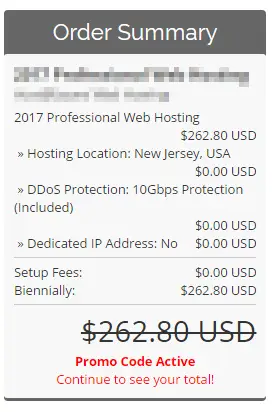
This forces the customer to view the checkout page where the correct total is displayed.
Writing about virtualization, home lab, cloud, storage and gaming on vSkilled, started in 2014.
Cover photo: Ilya Pavlov on Unsplash